
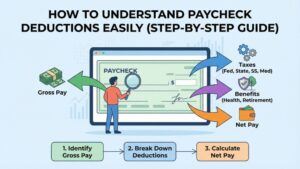
If you’ve ever looked at your payslip and wondered where half your salary went, you’re not alone.
Paycheck deductions can make your take-home pay look a lot smaller than your gross salary, and it’s easy to feel lost figuring out why.
I’m walking you through everything you need to know to break down your payslip in plain language, so there’s no more mystery about where your money is going.
Understanding Gross Pay vs. Net Pay
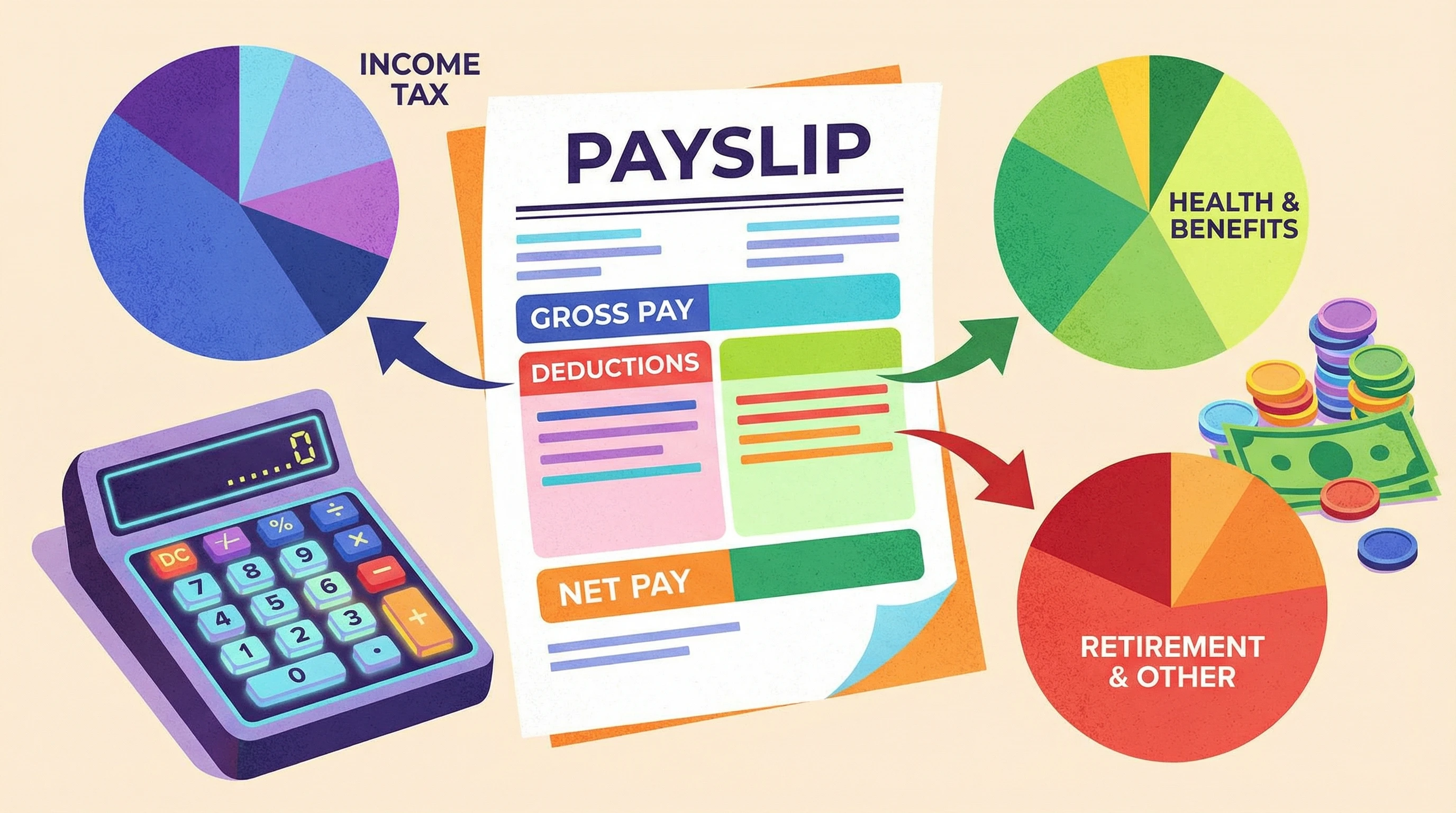
Your payslip lists both your gross pay and your net pay, and knowing the difference is really important for your budget.
Gross pay is the big number; it’s your total salary or wages before deductions kick in. Net pay is your take-home pay, which is what actually lands in your bank account after all the automatic deductions have been taken out.
For example, if your contract says you earn $2000 a month, that’s your gross pay. But after everything’s deducted – tax, UIF, maybe medical insurance – you might end up with $1600 or less as your net pay.
Understanding both figures is super useful for planning monthly expenses, prepping for tax season, or just checking that everything adds up right.
Having a handle on these figures also makes it easier to negotiate new contracts, estimate savings goals, and even plan changes in your employment situation.
What You’ll Find On a Payslip
Your payslip lists all sorts of details, not just your wage. Here’s a breakdown of what the main headings usually mean:
- Basic Salary: This is your fixed pay before any extras or deductions.
- Allowances: These are extra payments for things like travel or housing. Some are taxable; some aren’t.
- Deductions: Here you’ll see all the automatic subtractions: taxes, UIF, pension contributions, sometimes medical aid, and more.
- Net Pay: This is your actual take-home money, after deductions.
If you want to get savvy about your money, looking over these details is a smart move. It helps you spot any errors and just keeps you in the loop about your own finances.
Going over your payslip regularly can flag up hidden issues, like increased tax, deductions you didn’t agree to, or changing pension rates.
The Big Ones: Mandatory Payroll Deductions Explained
The first chunk of deductions on any payslip are the ones the law says have to be taken out. These are called statutory or mandatory deductions.
Income Tax (PAYE)
PAYE means Pay-As-You-Earn.
It’s South Africa’s system for collecting income tax directly from your paycheck. Your employer figures out how much tax you owe based on your gross pay and then pays it straight to the tax authority.
What you need to know is that tax works on a tiered scale; the more you earn, the higher the tax rate on your top earnings band.
- Example: If you earn above a certain threshold, the first bit of your salary is taxed at a lower rate, and amounts above that get taxed at the higher rates. Your payslip will often show your total PAYE deduction each month.
It’s essential to check if your tax rate changes when you receive a bonus, an annual increase, or work extra hours.
Even a one-time payment can bump you into a higher band for that month.
Unemployment Insurance Fund (UIF)
UIF is a setup so you’re covered if you lose your job (or can’t work due to illness, parenthood, or adoption leave).
You pay 1% of your salary, and your employer kicks in another 1%. This is shown as a separate line on your payslip.
Everyone earning more than a minimum threshold has UIF taken off, up to the UIF contribution ceiling.
If your salary is on the higher side, UIF contributions will be capped, meaning deductions won’t keep increasing indefinitely as your pay rises.
Skills Development Levy (SDL)
SDL isn’t something you usually pay as an employee; it’s mostly an employer’s responsibility. They pay the equivalent of 1% of the wage bill into this fund to support skills training and learnerships.
On some payslips, SDL amounts are shown for transparency or payroll reconciliation, but they usually don’t come off your personal pay.
However, being aware of SDL can give you insight into how your employer contributes toward workforce skills development and training programs.
Recommended Reading: Master These Key Terms In Personal Finance And Take Control Of Your Money
Other Salary Deductions That Might Show Up
Besides the legal requirements, employers often manage extra deductions or contributions.
These are important to track, especially since they can vary a lot between different companies or industries.
Retirement and Pension Fund Contributions
Many employers offer retirement, pension, or provident funds. You might see a chunk of money going into a “Retirement Fund Contribution” line on your payslip.
This is a way to save for life after work, and sometimes your employer adds extra (matching) contributions, which is pretty handy.
These funds often offer tax benefits, so it’s worth checking out your specific terms. Over time, building up these contributions ensures financial stability after retirement, and knowing how they’re calculated allows you to plan better for your future.
Medical Aid/Health Insurance
If you’re part of your company’s medical aid or private health insurance, the employee part of the premium might be taken out of your paycheck too.
This is usually marked clearly, so look for “Medical Aid” or something similar. Sometimes medical scheme contributions are split, with the employer paying one part and you footing the rest.
Understanding how much you’re contributing each month for healthcare helps with budgeting, especially if you want to upgrade or downgrade your plan.
Voluntary Deductions
Some deductions happen by choice or agreement.
These could be union fees, loan repayments (like an advance you took from your employer), or perks you’ve elected to pay for (like extra group insurance, parking, or company car usage).
You always need to give written permission for these to be taken off your salary. Checking which voluntary deductions apply to you ensures there are no surprises on payday and lets you decide what’s really worth the cost.
- Union Dues: Regular payments to a workers’ union if you’ve joined one.
- Repayments: Could be for loans, advances, or damage charges you’ve agreed to cover.
When Is an Employer Allowed to Make Deductions?
Your employer can’t just take money out of your pay for any reason. The law is pretty specific.
Here’s what’s allowed:
- Statutory deductions (tax, UIF, court-ordered repayments)
- Agreed deductions (if you’ve signed for it, like pension, medical aid, voluntary perks)
- Legal orders or garnishments (like if you owe maintenance or have a legal judgment against you)
If your boss ever starts deducting money without you knowing or without any written agreement, that’s not legal.
If you spot something odd or don’t remember signing up for a deduction, ask payroll for the paperwork or check your employment contract.
Remember: always keep your own copy of agreements around deductions for your records.
Why Net Pay Is Often Less Than Expected
A lot of people get their contract, see the gross monthly pay, and already plan how much they’ll spend.
But your take-home pay drops after the deductions.
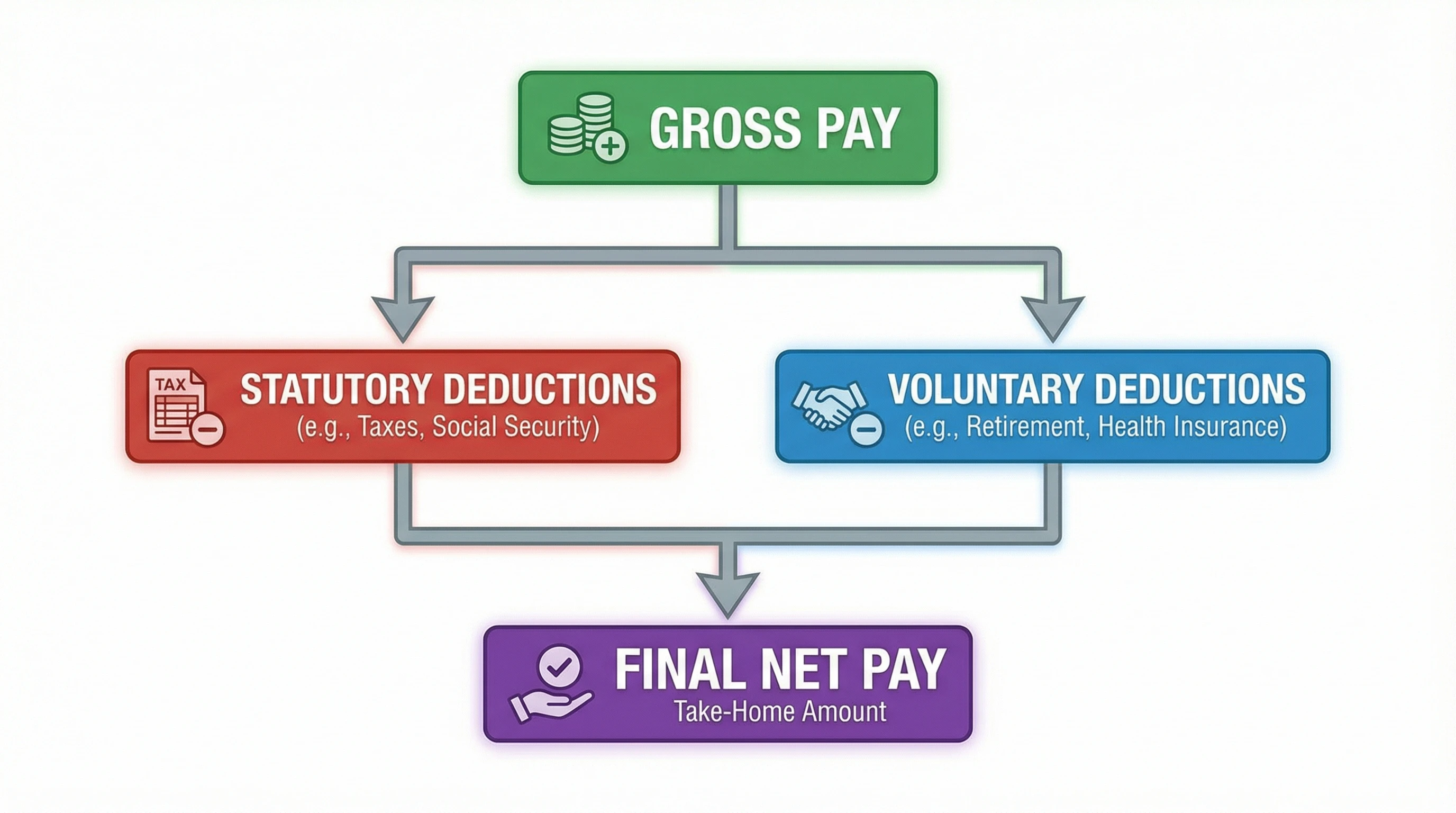
Here’s how the basic flow works:
- Gross Pay (your contracted salary)
- minus Statutory Deductions (tax, UIF, SDL if relevant)
- minus Other Agreed/Voluntary Deductions (medical aid, pension, union dues, loans, advances)
= Net Pay (the final amount paid into your account)
Sometimes, the drop can be quite a shock, especially if you signed up for additional benefits or have more voluntary contributions than you realized.
Having insight into the process prepares you for what hits your bank account each month.
Payslip Headings Explained (Line By Line)
Payslips can look a little different from one employer to the next, but here are the parts you’ll usually find and what they mean:
- Basic Salary: Your starting figure before any additions or deductions.
- Allowances: Money for transport, meals, housing, travel, or using your own phone/car for work. Some are taxable, others are not; so check how each one is tagged.
- Overtime or Bonuses: Extra earnings if you worked extra hours or earned commission/tips.
- Statutory Deductions: Lines labeled PAYE, UIF, and sometimes SDL or other government items.
- Retirement Contributions: Money going to your pension, provident, or retirement annuity fund. Employee and employer splits might each be listed.
- Medical Aid: Shows the premium split between you and your employer, or your full share if you pay the lot.
- Other Deductions: Any voluntary things you’ve agreed to; loan repay, parking, union fees, etc.
- Net Pay: The magic number; what hits your bank account.
Spotting weird items, big jumps, or changes from last month is always worth your time.
Sometimes payroll makes honest mistakes. Catching them early saves you hassles down the road.
Keeping a monthly record or spreadsheet of your payslip can make this process quicker and ensure you have a paper trail if you ever need to query a deduction.

Step-by-Step Payslip Breakdown Examples
These are simplified examples, but they help show how different deductions can shrink your net pay.
Note that actual numbers and tax bands will vary, so always check your payroll’s specifics.
Example 1: Entry-Level Salary Payslip
- Gross Pay: R10,000
- Pension Fund: R500 (5%)
- Medical Aid: R350
- PAYE (Income Tax): R900
- UIF: R100
- Net Pay: R8,150
So on a R10,000 starting salary, after statutory and a couple of voluntary deductions, you’d see R8,150 as your monthly take-home pay.
If you adjust any benefit (medical or pension), your net pay changes too. Bear in mind, even small tweaks to these numbers can have a relatively big effect, so always review any updates to your deductions.
Example 2: Higher Salary With Steep Tax Band
- Gross Pay: R40,000
- Pension Fund: R2,400 (6%)
- Medical Aid: R900
- PAYE: R8,000 (due to higher tax band)
- UIF: R100 (capped at max limit)
- Net Pay: R28,600
The PAYE jumps up hard in higher brackets, so your net pay doesn’t climb in a straight line as gross goes up.
This is one reason understanding deductions is really important for career planning.
Realizing that higher pay brings tax implications can influence how you negotiate benefits or opt for additional non-cash perks in your package.
Common Mistakes People Make About Deductions
- Assuming that gross pay and take-home pay are the same amount.
- Not spotting voluntary deductions (medical aid, retirement) and being surprised at the lower net pay.
- Not checking payslips for accidental double deductions or payroll errors.
- Confusing employer contributions (like toward pension or medical) with what you personally pay.
- Thinking “allowances” are always tax-free; it depends on the type and how it’s set up with SARS.
Avoiding these slip-ups simply saves money and headaches. Taking the time each month to give your payslip a careful review helps dodge expensive mistakes. If something changes and you aren’t sure why, following up quickly is the best move for your finances.
Should You Change Your Deductions?
If you spot a problem, like a deduction that doesn’t belong, an error in medical aid, or an overpayment of PAYE, contact your HR or payroll team right away.
Mistakes sometimes happen, and getting them fixed quickly can really help your monthly budget.
Sometimes, you actually want to adjust your voluntary deductions upwards or downwards.
Maybe you want to add more to your retirement fund to lower your yearly taxable income, or maybe you need to drop voluntary benefits while money’s tight.
Keeping track helps you stay in control of your money, with no surprises at payday. Always weigh the advantages and consequences.
It’s a balancing act between higher take-home now or greater benefits (or tax savings) down the road.
FAQs for Paycheck Deductions
Here are some quick answers to questions I hear all the time:
What if my employer is making deductions I never agreed to?
If there’s a mysterious deduction that isn’t tax or UIF, you should request details in writing. Employers need your written permission (or a legal order) for anything beyond the basics.
Why does my PAYE seem different each month?
It often changes if you earned overtime, got a bonus, or took unpaid leave. Your tax is worked out based on taxable income in that specific month.
Can I check or contest my deductions?
Absolutely. You have the right to request a breakdown, and you can reach out to your payroll/HR staff, check your employment contract, or even get a tax consultant if it’s complicated. Don’t hesitate to double-check; it’s your money at stake.
Is it better to have more taken out for retirement or medical aid?
It depends on your financial goals and health situation. More into retirement can mean less tax now, but less take-home each month; balance it based on your needs and what benefits your employer matches. Think about what fits your long-term plans and immediate needs before deciding.
Want to Take Control of Your Income?
If you’re tired of watching deductions shrink your net salary and would rather build up a side income that’s not tied to a traditional payroll, there are proven ways to start earning online.
Wealthy Affiliate is worth checking out; it’s a step-by-step training platform that helps people build real businesses and grow income streams online.
It comes with all-in-one training, a community of support, and all the tools you need to start and scale, whether you’re new or already have some experience.
You can give your financial future a bit more muscle beyond the payslip. Wealthy Affiliate; learn exactly how to create, market, and grow your own online income at your own pace.
There’s guidance for beginners, resources for scaling up, and constant support from successful online earners—all geared toward helping you step up your income potential without worrying too much about payroll deductions.
Understanding your deductions is a big part of financial confidence. Building a backup income stream can help you feel even more in charge of your money, so you’re never stuck wondering where your pay disappeared to!
Stay informed, keep checking your payslips, and remember: your financial well-being is always worth a closer look.